Scan several pages in one photo, from your phone browser
Lay up to 4 A4 sheets on a table, take one photo, and get one PDF with the pages straightened, cleaned and in reading order. It runs in the browser, so there is no app to install.
Open the scanner on your phone
Scanning a document
- Lay out the sheets on a surface darker than the paper, with a small gap between them.
- Tap Take photo, with the phone held upright and the sheets filling as much of the frame as possible.
- Check the numbers shown on each sheet. They are the page order. Drag a corner if a border is off.
- Add more photos if the document has more pages. They all go into the same PDF.
- Pick a filter and save. The scan clears right away and saves in the background, so you can start the next document.
The order follows the documents
Always hold the phone upright. The scanner looks at the sheets themselves: upright pages read like a book, wide pages read in columns.
If a shot comes out in the wrong order, the Order button under the photo switches it. Turn, under a page, rotates that page by a quarter turn.
How sharp the result will be
A photo has a fixed number of pixels, and the sheets share them. Fewer sheets per photo means sharper pages. These are the most a 12 MP phone photo can give, leaving a small margin around the sheets:
| Sheets in the photo | Resolution per page | Good for |
|---|---|---|
| 1 | 300 ppi (the scanner's limit) | Small print, forms, anything you may need to reprint |
| 2 wide sheets | about 220 ppi | Normal letters and invoices |
| 4 upright sheets | about 160 ppi | Large print, or a fast pass through a pile of simple pages |
Each page shows the resolution it actually got. When small text matters, take one sheet per photo and fill the frame.
Which filter to pick
All three remove shadows and uneven light, and turn the paper white. Below, the same made-up invoice, simulated with a shadow on the right and run through the scanner's own filters.
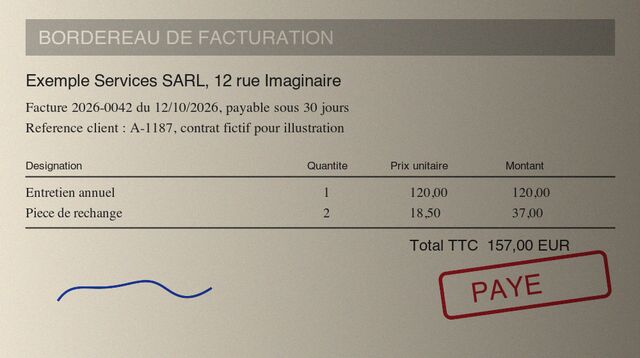
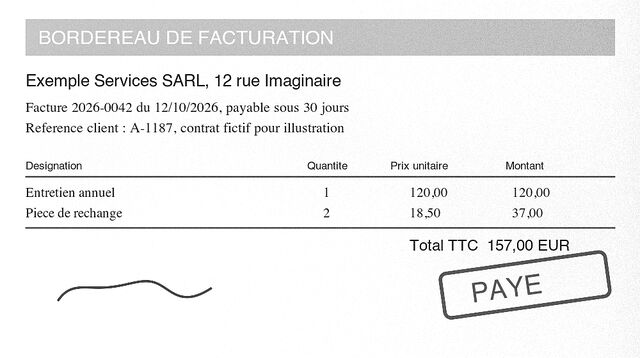
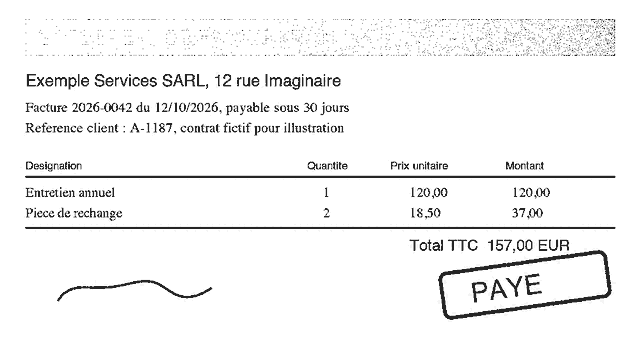
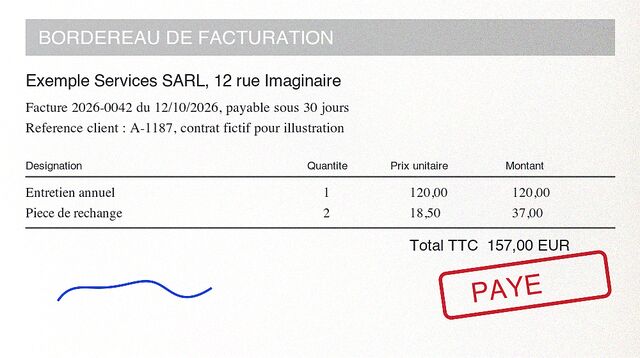
As a guide, a full page in gray usually takes from a few hundred KB to about 1 MB, depending on how much is printed on it and its resolution.
Fixing a border by hand
Touch a corner and drag. A 4x magnifier shows the exact spot away from your thumb, and the corner moves at half your thumb's speed so you can place it precisely. For a long move, lift your thumb and drag again. Add sheet puts a new frame on the photo when a sheet was missed, and Remove sheet deletes the one you tapped.
Names and where files go
A file is named with today's date, 2026-10-31.pdf. You can add the time and a label of your own, which gives 2026-10-31 143502 EDF.pdf. Names then sort by date in any folder.
Save on phone puts the PDF in your Downloads. Save to Drive uses your Inbox > Scanned folder. The first time, you pick that folder in Google's window, or let the scanner create it. You only do this once per phone. paper-inbox can only see folders you pick, which is also why it cannot look through the rest of your Drive.
Later, on a computer, the paper-inbox tool can read those scans and rename them after what they contain, such as 2026-06-01 Clinique du Parc facture 260600126. It opens the same folder.
When something goes wrong
| What you see | What to do |
|---|---|
| “No sheet found” | The table is too close to the color of the paper. Use a darker surface, or tap Add sheet and drag the corners. |
| Two sheets counted as one, or one missed | Leave a clear gap between sheets, and keep hands and objects off them. |
| Small text looks soft | Take one sheet per photo, closer, in good light. Try again if the phone did not focus. |
| Save failed | The document stays listed at the top of the page, with Retry and, for Drive, Save on phone. |
| You leave the page by accident | The scanner warns you when a scan is unsaved. Scans are kept in memory only, so a reload loses them. |
Your documents stay with you
Photos are processed on your phone. There is no paper-inbox server, so the only upload is the finished PDF to your own Google Drive, when you ask for it. Details in the privacy policy.
Limits
- It is built for A4 paper. Other sizes come out stretched to A4 proportions.
- It needs contrast between paper and table. A white sheet on a white desk will need its corners placed by hand.
- It makes image PDFs, with no searchable text. The paper-inbox tool can add text recognition afterwards.
- Developed and tested on a recent Android phone. It should work on any phone with a modern browser, and the resolution you get depends on its camera.